XPressScreening
4. Job Management
4. Job Management
4.Job Management
Click on the Job menu, which includes:
Add Job
All Jobs
4.1 Add Job:
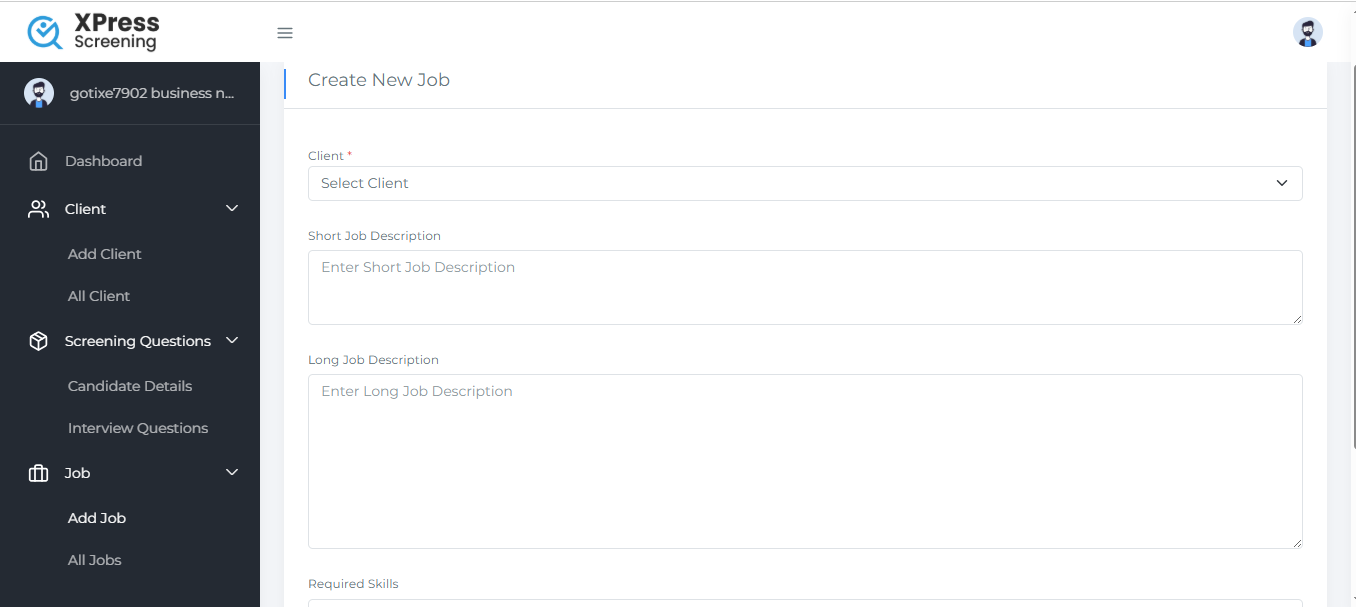
Enter job details and click Submit.
4.2 After submitting, you'll be prompted to choose between:
Own Questions
AI Agent
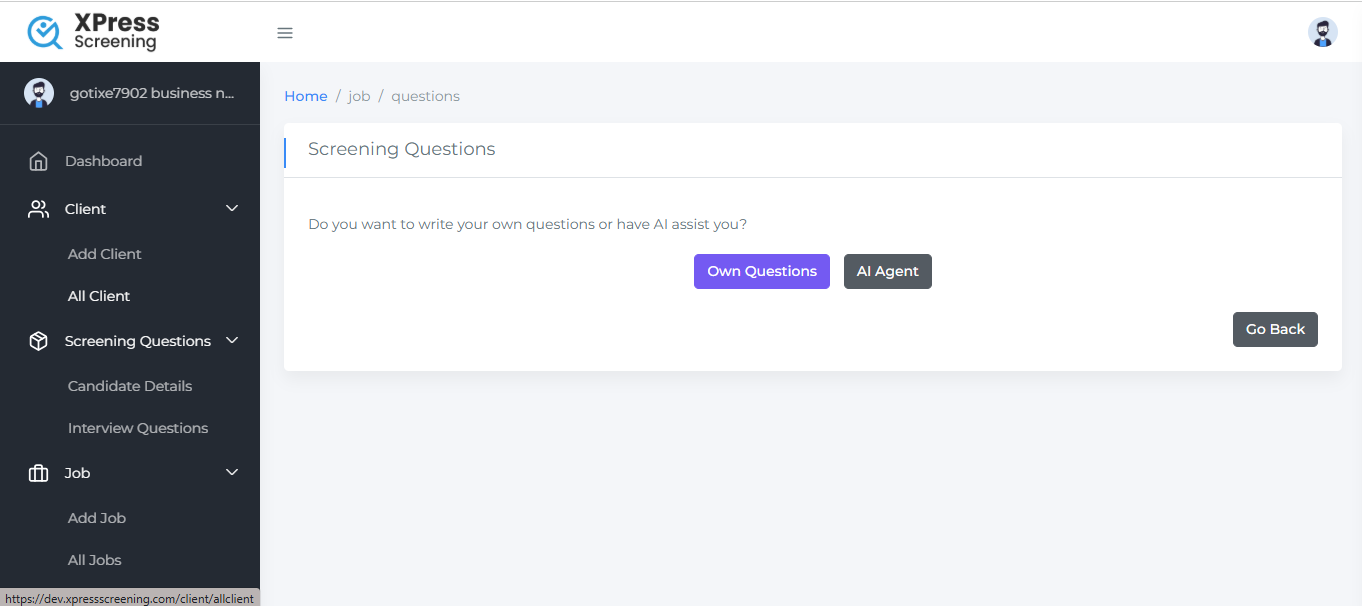
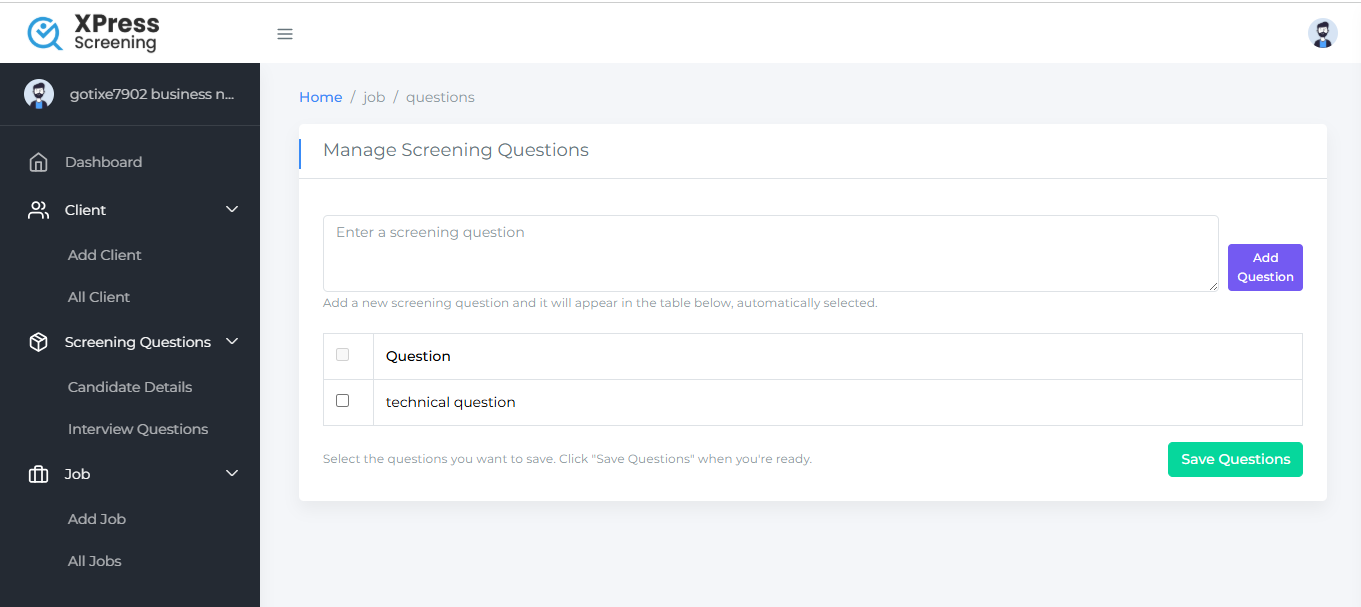
4.2.1 Own Questions Selected:
Displays previously entered questions.
You can select existing questions or manually add new ones.
Click Save to proceed.
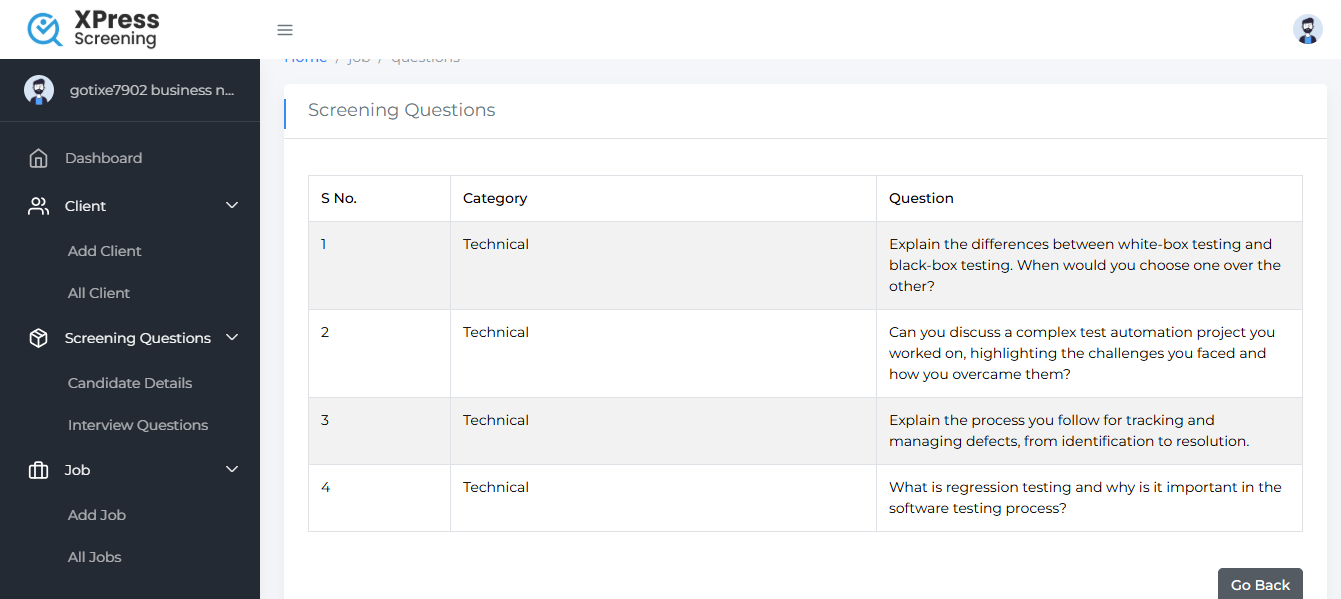
4.2.2 AI Agent Selected:
Automatically generates questions relevant to the job and displays them.
4.3 All Jobs:
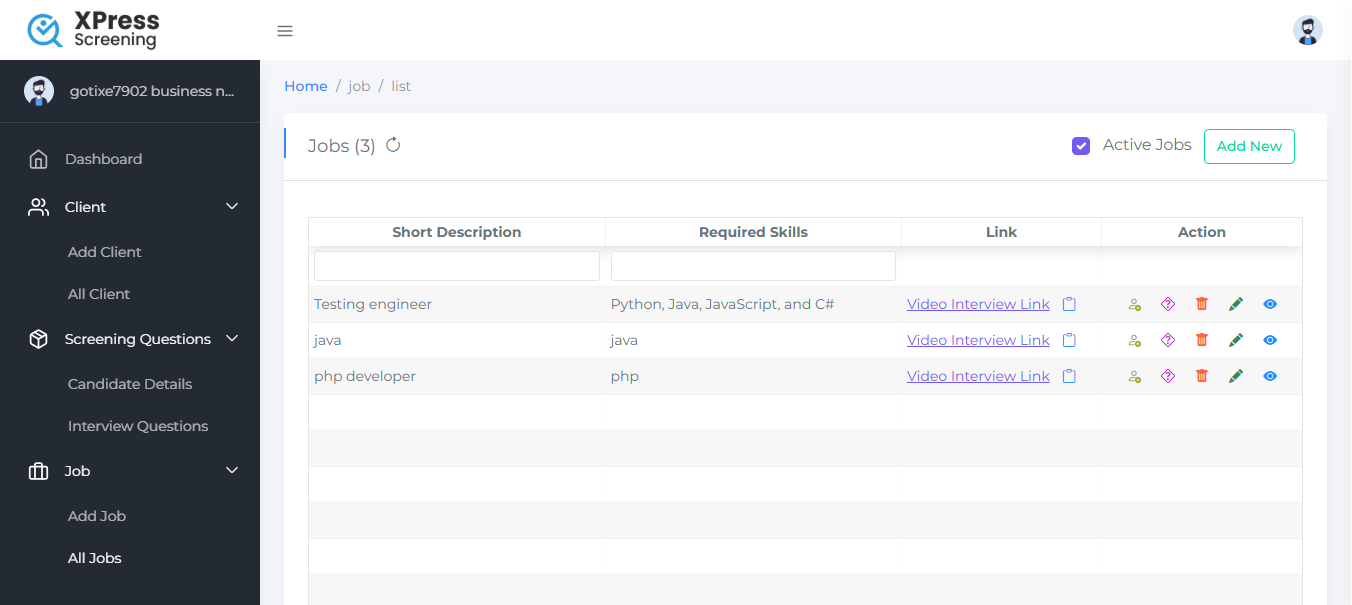
Show all jobs list.
A Public Page Link is also available.